
Reservations
Restaurant table reservation system with deposits
Fill the room, not the phone line
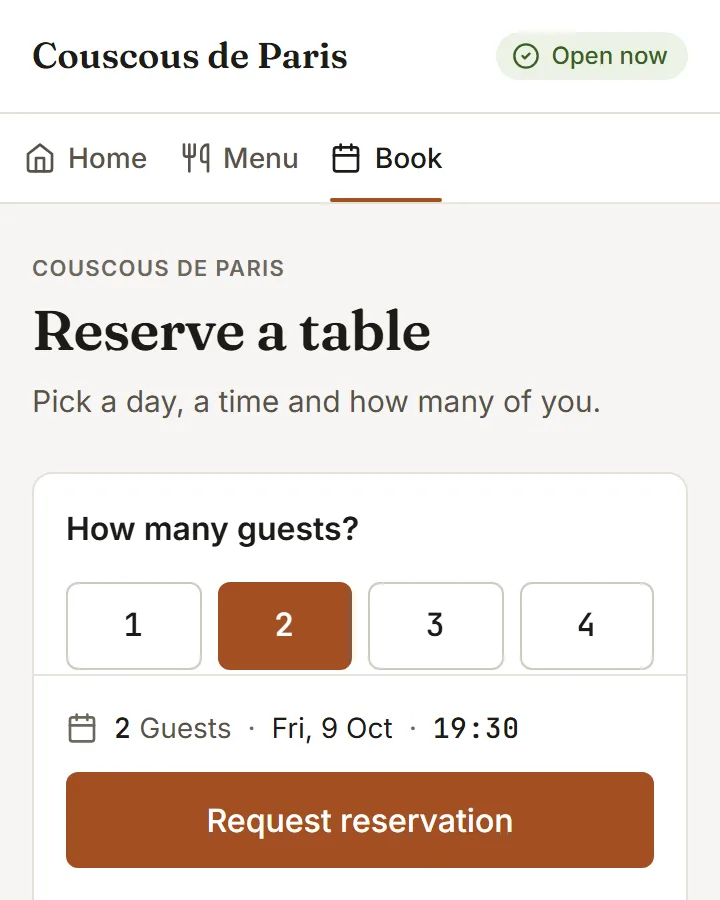
An online table reservation system: guests book from your page in three taps. You see the day at a glance, ask for a deposit on the bookings that need one, and record the refund when plans change.
- 01
A day at a glance
Move day to day and see who is coming, when, and how many. Reservations that need attention are pulled to the top.
- 02
Deposits by payment link
Ask for a deposit on a large party or a busy night. The guest gets a payment link; the booking shows settled when it is paid.
- 03
Refunds recorded on the booking
A cancellation is one action. The deposit refund is recorded and the booking is closed with a reason; the money itself returns from your Konnect dashboard.
How to start
What you do in the back office to switch it on.
- Add your service shifts and open them to online booking.
- Set the slot length and the largest party you take.
- Choose how guests get their confirmations and reminders.
Good for
How it works
Take a Friday dinner service with two shifts and a few large parties.
- In booking setup you add a dinner shift with its days, first and last seating, and the turn time for each party size. You open it to online booking.
- A guest opens your reserve page, picks a party size, a day and a time that is offered, and sends the booking. A time that has filled up is refused.
- For a large party you request a deposit, and the guest receives a payment link. If the shift asks for a card, the guest leaves one when booking.
- On the day you see the bookings in time order, seat each party at a table, and mark a no-show if the guest does not come. The guest gets a link to change or cancel.
What you need
- Online booking is a plan feature. Which plans include it is listed on this page.
- Guests use any phone browser. Staff use the admin in a browser, and need the service role to work the booking desk.
- Deposits are paid by payment link through Konnect, and a card guarantee needs Stripe connected. Both need an internet connection.
What it does not do
- Deposit refunds are recorded in BookNDish, but the money is returned from your own Konnect dashboard. The platform does not hold deposit funds.
- The online booking form takes parties up to a limit you set, and never more than 50. Larger groups are handled by phone or as an event enquiry.
- A guest cannot change or cancel a booking through their link once it is inside the notice period you set. Only the restaurant can move it from then on.
Questions owners ask
Works with
Try it on your own menu
7-day free trial on every plan. No card. Cancel anytime.