
Point of sale
Restaurant POS system for the floor and the pass
The till that keeps up with the floor
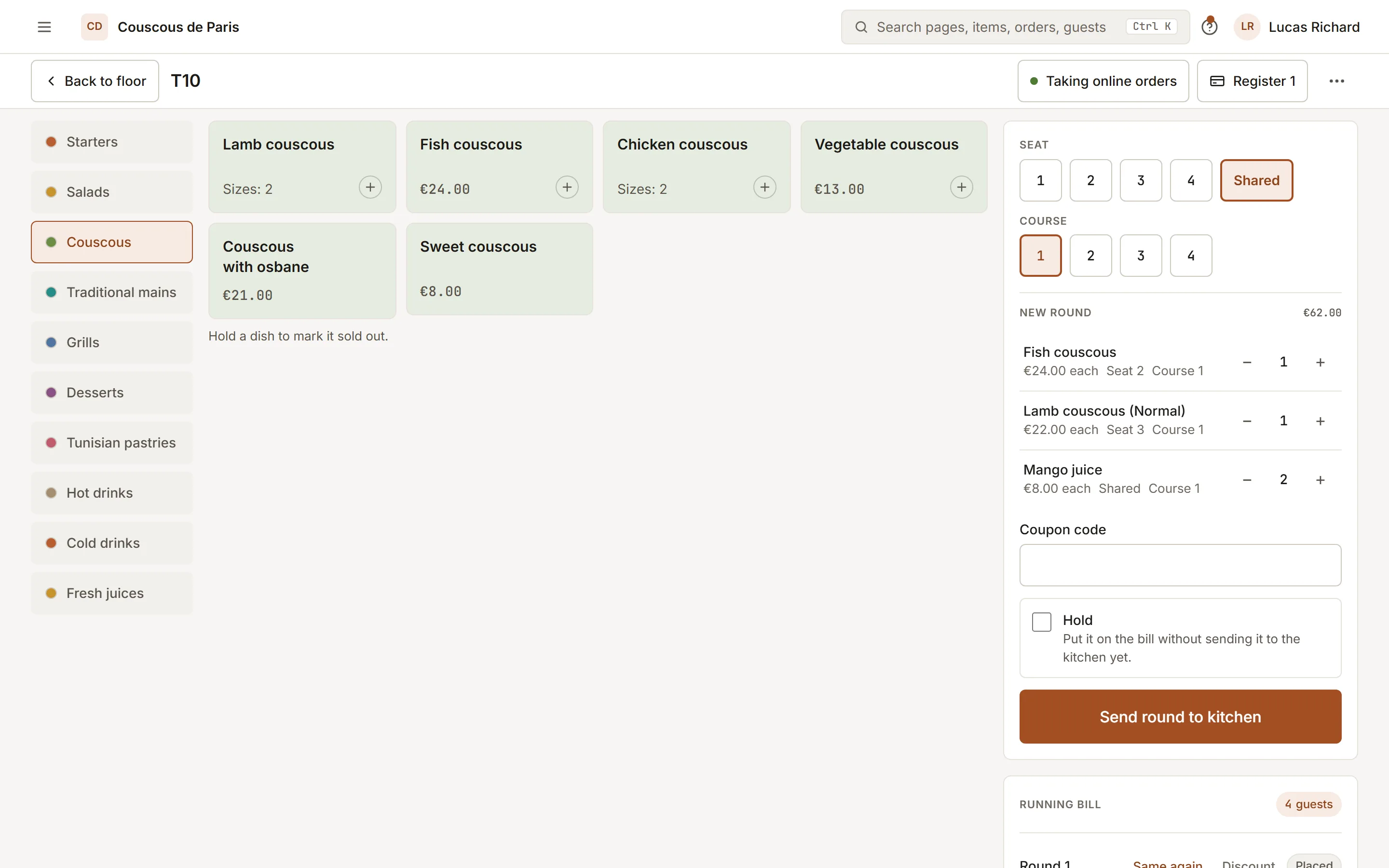
A restaurant POS you run on a tablet: open a table, send rounds to the kitchen, settle by cash or card, and close the till with a declared count.
- 01
Split, transfer, merge
Split a bill by items or evenly by ways. Move an item to another table, or merge two sessions when a party joins up.
- 02
Voids with a manager PIN
Anyone can void before firing. Once an item is on the pass, a void needs a manager PIN and a reason, and the log keeps both.
- 03
Keeps working offline
When the connection drops, orders queue on the device and send themselves when it returns. The banner tells the team what is waiting.
How to start
What you do in the back office to switch it on.
- Set the manager PIN for voids and discounts.
- Give each member of staff their own PIN.
- Open the till with its float and take the first order.
Good for
How it works
Take a lunch service where a waiter opens table 6, sends two rounds to the kitchen and closes the bill at the end.
- The shift starts by opening the till with its float. The waiter taps table 6 on the floor map and adds the first round from the menu.
- Sending the round creates tickets at the kitchen stations. When the party adds drinks, the waiter sends a second round to the same bill.
- At the end, the waiter splits the bill evenly or by items, then records each payment as cash or card. A card can be taken on a connected reader or recorded manually.
- At close, the manager counts the drawer and enters the amount. The till compares it with the expected cash and records the difference.
What you need
- The POS runs in a web browser on a tablet, phone or computer, and can be installed on the home screen. The staff member needs a login with access to the floor.
- It needs a connection for most actions. If the connection drops, new rounds and cash payments are queued on the device and sent once the connection returns.
- Taking card payments on a reader needs Stripe set up for the restaurant. Receipts and kitchen tickets on paper need a compatible printer. Which plans include the POS is listed on this page.
What it does not do
- While offline, splitting, transferring, merging and voiding are unavailable. Offline card payments need a reader app that can store cards, and are otherwise not offered.
- An item that has already been fired to the kitchen needs a manager PIN to void. A dish that is ready or served cannot be voided from the POS.
- Receipts and tax rules depend on your setup and country. The POS does not replace advice from your accountant or the fiscal rules that apply to you.
Questions owners ask
Works with
Try it on your own menu
7-day free trial on every plan. No card. Cancel anytime.