
Online ordering
Online ordering system for restaurants
Orders from your own pages, at your pace
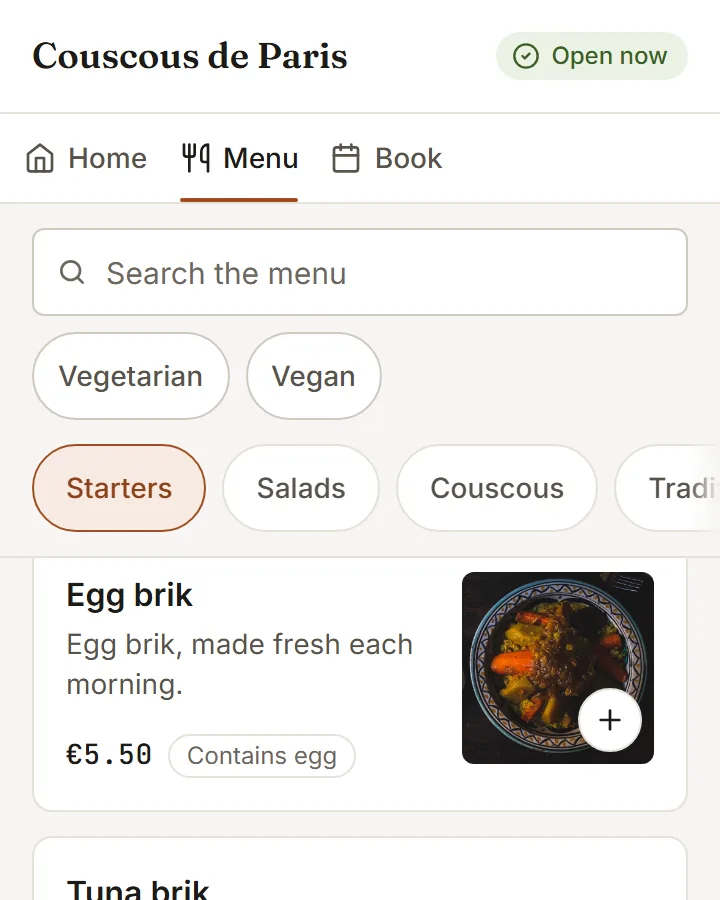
An online ordering system for pickup, catering and office group orders from your own pages, with controls to slow down or pause online orders from the floor when the kitchen needs room.
- 01
Busy or paused, your call
Busy adds minutes to every ready time; Pause stops online orders for a set time or the rest of the day. Guests at a table can still order.
- 02
Catering, planned ahead
Packages priced per person or per item, each with a minimum and the days of notice you need. The guest chooses delivery or pickup, and a deposit can be taken online.
Included inEssentialGrowthPro
- 03
Group and company orders
One shared link, an optional budget per person and a cut-off. The kitchen gets one order, with each meal labelled by name.
Included inEssentialGrowthPro
How to start
What you do in the back office to switch it on.
- Finish the setup checklist and open the restaurant.
- Add a catering package and open the catering store.
- Open group and company orders to your guests.
Good for
How it works
Take a lunch rush of pickup orders, then a catering order for next week.
- In ordering settings you choose which order types to offer, the preparation time and the smallest order. You decide whether online orders go straight to the kitchen or wait to be accepted.
- A guest opens your menu page, adds dishes and sends a pickup order. They can choose a quarter-hour slot to order ahead, and then follow the order on a status page.
- When the kitchen is behind, you set Busy to push every ready time out by 15, 30 or 45 minutes, or Pause to stop new online orders for a set time.
- For an event, a guest picks a catering package and a date. The order arrives as a request, with a deposit if you have asked for one.
What you need
- Guests order from any phone browser. Staff manage the orders board in the admin on a phone, tablet or computer.
- Ordering ahead requires the guest to pay online. Online payments and catering deposits need your payment account connected.
- Pages for guests need an internet connection. Catering and group orders are switched on in your settings, and are off until you turn them on.
What it does not do
- Busy and Pause apply to guests ordering online for pickup or delivery. Guests already seated at a table can still order.
- Without a connected payment account, a catering order arrives as a request without a deposit. You settle payment with the guest yourself.
- Scheduled orders reach only as far ahead as you allow, and the setting cannot exceed 60 days.
Questions owners ask
Works with
Try it on your own menu
7-day free trial on every plan. No card. Cancel anytime.