
Kitchen display
Kitchen display system (KDS) for restaurants
Tickets on a screen, not on a rail
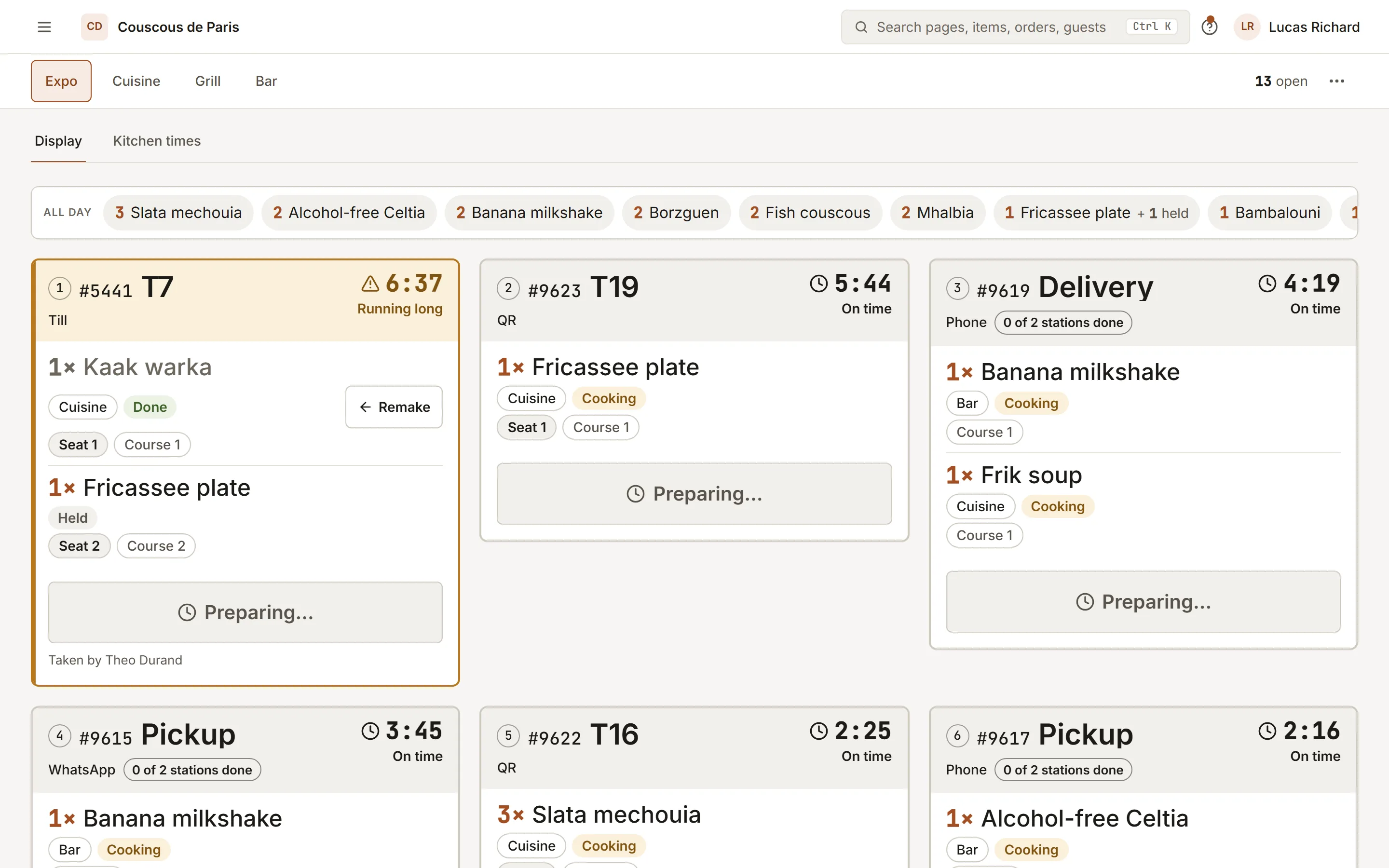
A kitchen display system that replaces paper tickets. Every order lands on the right station the moment it is sent. Cooks bump what is ready, the expo sees the whole picture, the floor sees when to run it.
- 01
One screen per station
Grill, cold, pastry: each station shows only its items, with the course and the table. The expo view shows every ticket and the station load.
- 02
Bump and serve
Bump marks an item ready; serve marks it delivered. The oldest ticket is always first, and its age is on the card.
- 03
Allergy notes stay on the ticket
A note from the guest travels with the item to the station that cooks it, flagged so it cannot be missed on a busy night.
How to start
What you do in the back office to switch it on.
- Add your kitchen stations, such as grill, cold and pastry.
- Give each category or dish its station.
- Open the kitchen display on each station’s screen.
Good for
How it works
Take a Friday dinner with a grill, a cold station and a pastry station, where one table orders a starter, a main and a dessert.
- The waiter sends the round from the POS or the guest orders by QR code. Each item goes to the station set for its dish or category, and one ticket is created per station.
- The grill screen shows only the grill items, with the table, the course and the minutes since the ticket was fired. The ticket changes colour when it passes the amber and red times set for that station.
- The cook bumps the ticket when the plate is ready. The order is marked ready once every ticket of the order is ready and no course is still held back.
- The runner marks the ticket served when the plate leaves the pass. A ticket served by mistake can be recalled to the pass within a short window.
What you need
- Each station needs a screen with a web browser, such as a tablet, a monitor with a small computer, or a phone. The kitchen display is opened from the admin area and needs a staff login.
- The kitchen display needs a connection to the server to receive tickets. Station screens do not queue tickets while offline, so a printer is a sensible backup.
- You add your stations and assign dishes or categories to them. Which plans include the kitchen display is listed on this page.
What it does not do
- A ticket that is ready or served cannot be voided. Only tickets still on the pass can be voided, and a fired item needs a manager PIN to void.
- A served ticket can only be recalled for a short time after it was served. After that it stays served.
- Printed kitchen tickets need a network printer reachable from the server, or a Star CloudPRNT printer. Printers on a private network do not work on the hosted service.
Questions owners ask
Works with
Try it on your own menu
7-day free trial on every plan. No card. Cancel anytime.