
Inventory
Restaurant inventory and recipe costing software
Know what is on the shelf before service
Restaurant inventory software that tracks the ingredients that matter, keeps them above par, orders from your suppliers, and lets recipes tell you what a night should have used.
- 01
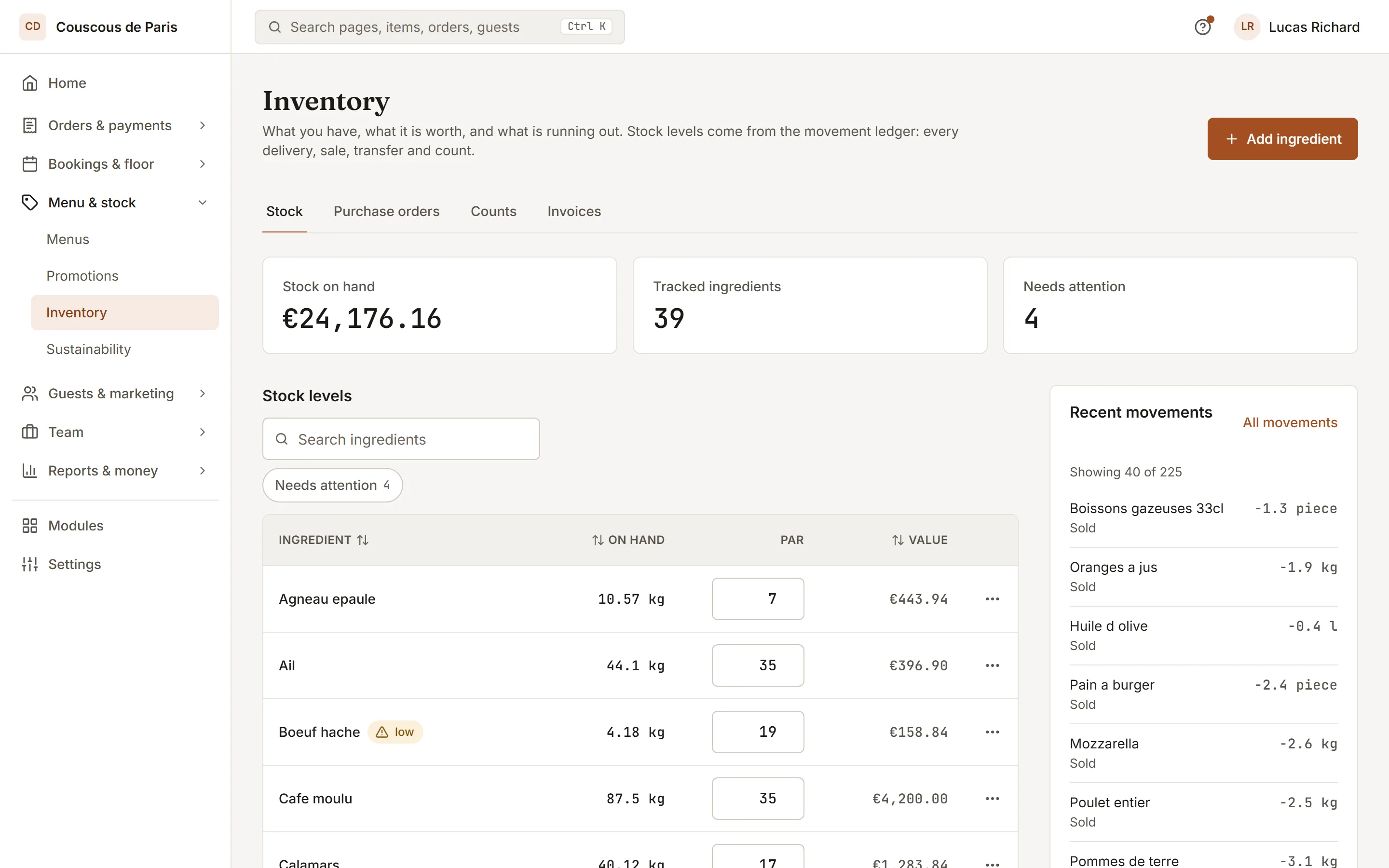
Par levels and counts
Set a par for each ingredient and see on hand against it. Count sheets post the difference, and waste is logged where it happens.
- 02
Purchase orders and transfers
Raise a purchase order to a supplier and book it in against the delivery. Move stock between branches and confirm what actually arrived.
- 03
Invoices from a photo
Photograph a supplier invoice and the lines are matched to your ingredients with their unit prices. Correct, confirm, or turn it into a purchase order.
Included inPro
How to start
What you do in the back office to switch it on.
- Add the ingredients you track, with a par level, and your suppliers.
- Give each dish its recipe.
- Raise your first purchase order from what is running low.
Good for
How it works
Take a bistro that buys fish, vegetables and dry goods from three suppliers and wants to stop running out of the things the menu depends on.
- The manager adds each tracked ingredient with a par level and links the suppliers it buys from. Every dish that uses stock gets a recipe, so a sale can be turned into ingredient quantities.
- When an order is marked completed, the recipes for the dishes on it are taken off the stock on hand. Spoilage and drops are logged at the bin with a reason, so they do not look like missing stock later.
- Before a delivery day, the manager asks for a suggested purchase order. It works from par level, stock on hand and forecast sales, rounded up to whole packs. The manager edits it and sends it to the supplier.
- The delivery is booked in against the purchase order. At the end of the week a count sheet is posted and the variance report shows the gap between what the recipes expected and what was on the shelf.
What you need
- A computer, tablet or phone with a web browser and an internet connection, signed in as a team member who has stock access.
- Inventory is a plan feature, and reading supplier invoices from a photo is a further one. Which plans include each is listed on this page.
- Recipes must be entered for the dishes you want depleted, and a supplier needs an email address for a purchase order to reach it by email. Moving stock between branches needs a plan with several branches.
What it does not do
- Stock comes off when an order is completed, and only for dishes that have a recipe. A dish with no recipe does not change your stock.
- A photographed invoice is read by an AI model and saved as a draft. You check and correct the lines before anything is applied, because a read can be wrong. Accepted files are JPG, PNG, WebP or PDF.
- Purchase suggestions are a starting point built from your par levels and past sales. They do not place an order for you, and you decide what is sent.
Questions owners ask
Works with
Try it on your own menu
7-day free trial on every plan. No card. Cancel anytime.