
Insights
Restaurant reports and sales analytics
Numbers you can read between two services
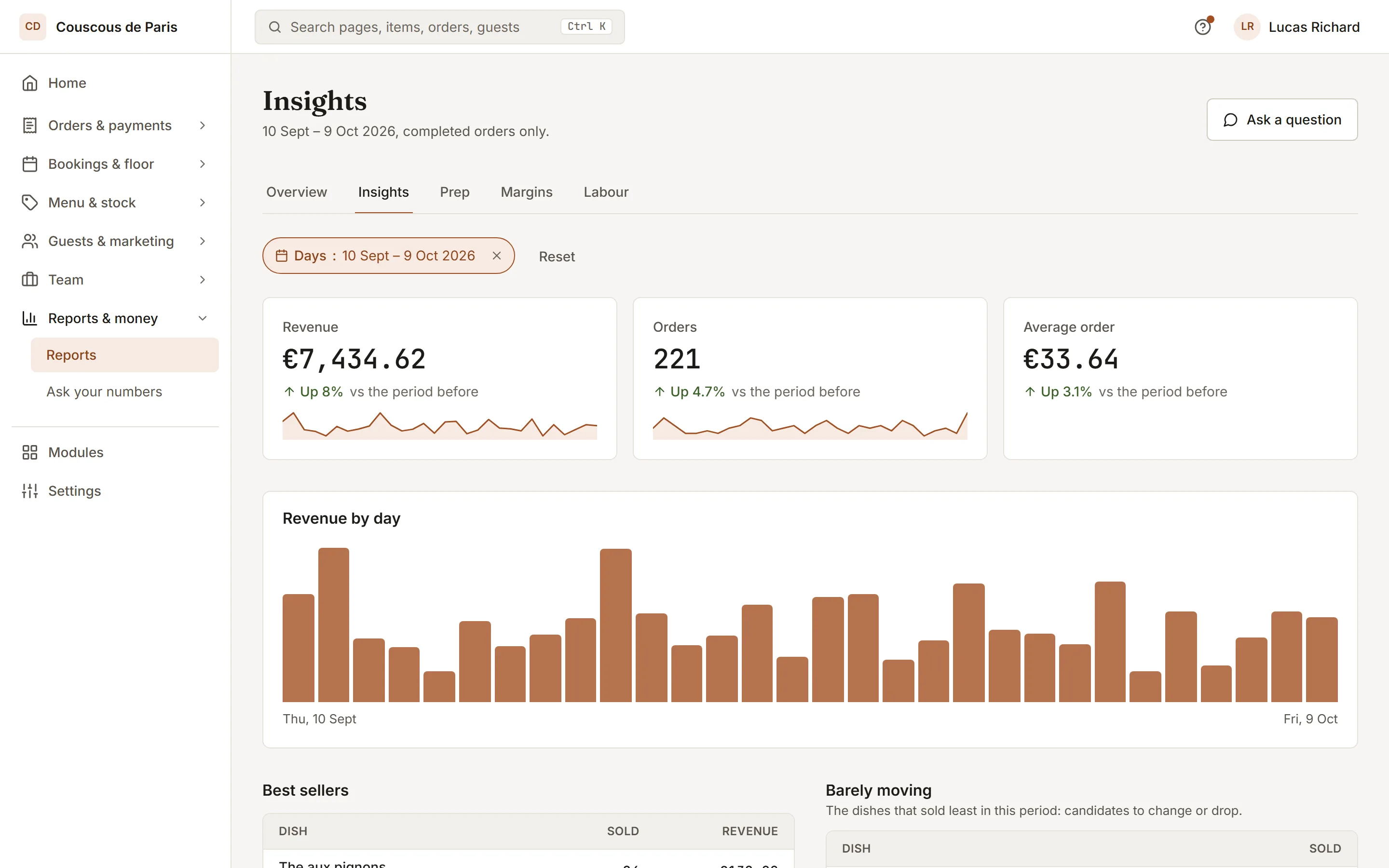
Restaurant reporting software: revenue by day, best sellers and what barely moves, where orders come from and when they arrive, across branches, side by side.
- 01
Margin on every dish
Every dish with a recipe shows its price, cost and food-cost percentage against your target, with a suggested price you can apply in one click.
- 02
Prep for the day ahead
Pick a day and see what past sales say you will need to prepare, so the morning starts from a list and not a guess.
- 03
Ask the copilot
Ask a question about your own numbers in plain language (how last week compared with the one before) and get an answer, not a chart to decode.
Included inPro
How to start
What you do in the back office to switch it on.
- Set the time your business day starts.
- Send the morning digest to the owners.
- Open the reports and pick the dates and the branch.
Good for
How it works
Take an owner with two branches who wants to know on Monday morning how the weekend went and what the kitchen should prepare for Tuesday.
- The owner opens Insights and picks the dates and the branch. Revenue by day, best sellers and the mix of channels orders came through are shown from the same sales data the till writes.
- The owner opens the reports list, picks a report such as sales by hour or kitchen times, and downloads it as a CSV for the accountant. A report can also be mailed on a schedule to the people listed.
- On the margins page, each dish with a recipe shows its price, its cost and its food-cost percentage against the target. A suggested price appears, and the owner applies it or ignores it.
- The prep page forecasts what each dish will need for the chosen day from past sales on the same weekday. If the plan includes the copilot, the owner can also ask in plain words how this week compared with last week.
What you need
- A web browser on a computer, tablet or phone, and a sign-in with reporting access.
- Reports and the prep forecast are a plan feature. Margins also need the inventory feature, and the copilot is a separate one. Which plans include each is listed on this page.
- Numbers come from the orders and payments recorded in BookNDish. Margins need recipes with ingredient costs, and the prep forecast improves as sales history builds up.
What it does not do
- The prep forecast is a statistical average of recent weeks for the same weekday, adjusted for season. It is not a prediction of a specific day, and it shows how much history it rests on.
- Price suggestions are advice only. Nothing changes a price until a person applies it, and there is no automatic repricing.
- The copilot reads your own reports and cannot change data itself. When it suggests a change, it shows a card that does nothing until a team member confirms it. Guest identities are masked in its answers.
Questions owners ask
Works with
Try it on your own menu
7-day free trial on every plan. No card. Cancel anytime.