
Hotel
Hotel room service ordering by QR code
Room service that lands on the folio
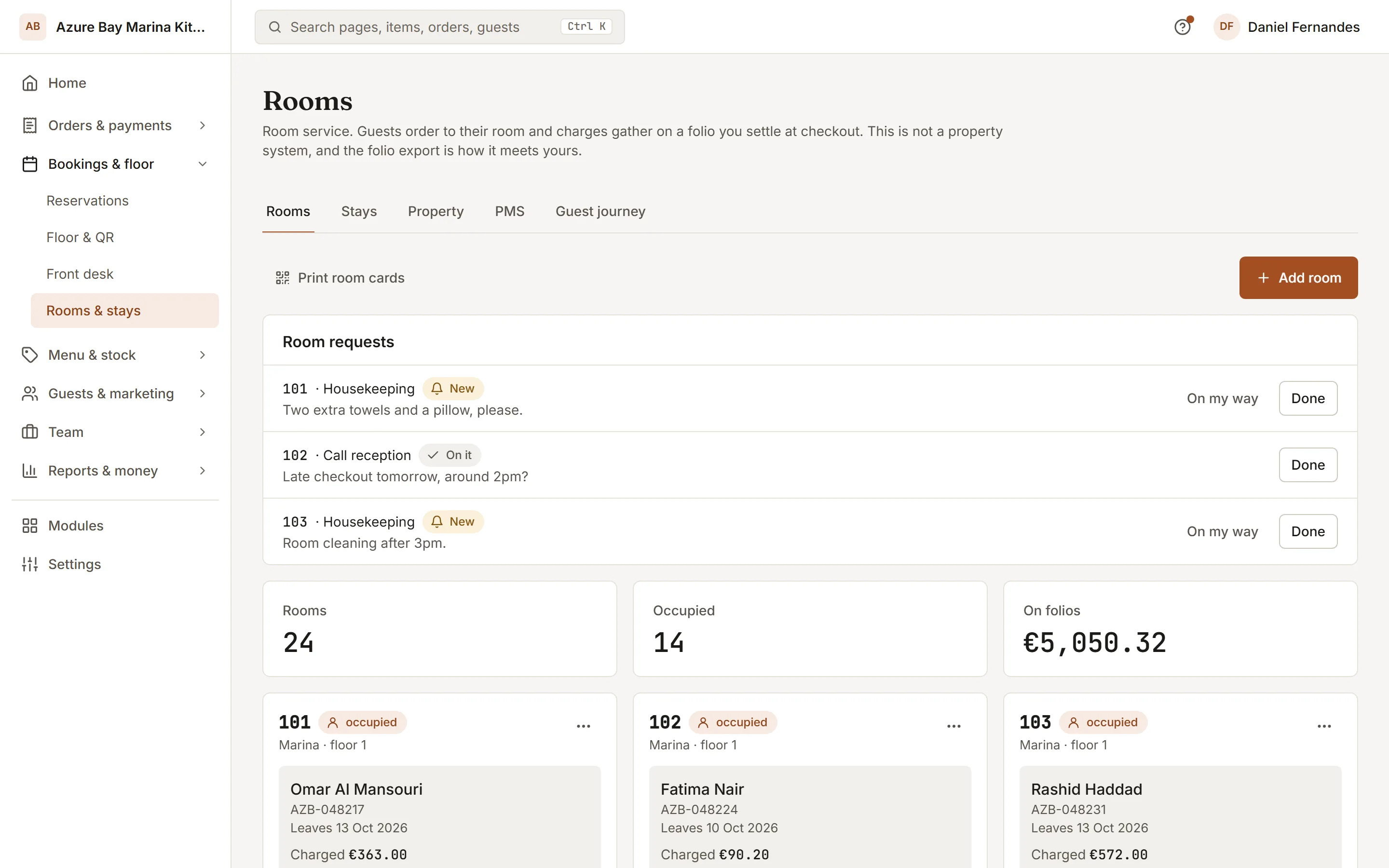
Hotel room service software: each room gets its own QR code. Guests order from the menu you choose for them, and every charge sits on their folio until check-out.
- 01
One code per room
Add rooms by number, floor and wing. Each has a door-card link, so a guest can order without knowing the Wi-Fi password or the extension.
- 02
Charges on the folio
Orders are charged to the room, not paid at the door. Check in a guest with a booking reference, see what is due, export the folio as CSV at check-out.
- 03
What the rate includes
Breakfast in the rate? Choose the menu that covers it and those items show as covered, not charged. Remove a charge with a reason when something never arrived.
How to start
What you do in the back office to switch it on.
- Add your rooms and print each door card.
- Check in a guest, with breakfast if the rate includes it.
- Connect your property management system, if you use one.
Good for
How it works
Take a hotel with a restaurant where a guest in room 214 wants dinner in the room.
- Reception adds the rooms and prints a door card for each. Each card carries a QR code for that room. When the guest arrives, staff open a stay for the room under their name.
- The guest scans the card in the room and orders from the menu. To charge the room they confirm the surname on the stay, which protects the room from charges by someone else.
- When the order is completed it is posted to the room's folio. If the rate includes breakfast, covered items post at zero and still show what they were priced at.
- At check-out staff review the folio, remove any charge with a reason, and export it as a CSV. The restaurant does not take the payment. The hotel collects at its own desk.
What you need
- A plan that includes the hotel feature. Which plans include it is listed on this page.
- Guests need a phone with a camera or a link to the door card's address to open the room page. The staff side works in a normal browser.
- Posting charges to a property management system needs an account with Mews, Cloudbeds or Apaleo, and its credentials. Without one, the CSV export carries the folio to your system.
What it does not do
- Settling a folio closes the stay and frees the room, but it does not take payment. The hotel collects the money itself.
- This is room service for the restaurant, not a full hotel system. Room rates, housekeeping scheduling and the front desk stay in your own property software.
- If a room has no open stay, no one can charge to it. Staff or the connected property system need to open the stay first.
Questions owners ask
Works with
Try it on your own menu
7-day free trial on every plan. No card. Cancel anytime.